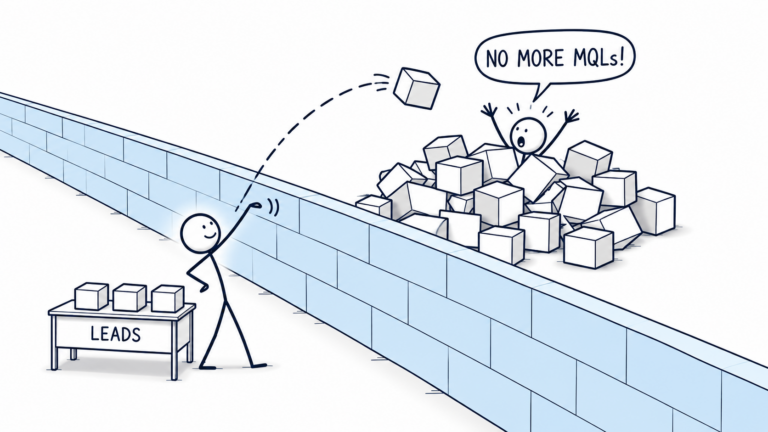
It is Tuesday morning. A product marketer wants to test a new message with a small group of target accounts. Before anyone can judge the idea, they need a campaign brief, a creative request, a landing page request and a Salesforce campaign code. By Friday, the team may have spent more time describing the work in different places than discussing whether the message is any good.
The standard answer is to make the request ticket more rigorous. That belief is reasonable: a ticket gives an overloaded team a queue, an owner and a record of who asked for what. But when every specialist needs their own version of the request, the ticket stops organising work and starts manufacturing it. I would keep the record and kill the campaign request ticket as the unit of work.
The ticket protects capacity, but it cannot make decisions
Request forms emerged for a good reason. Without them, the loudest stakeholder gets the landing page and the quietest one waits. A central queue makes demand visible. It also lets marketing operations insist on details that will matter when someone asks where the leads came from.
That last point is not pedantry. Salesforce recommends a consistent set of campaign member statuses for each campaign type and warns that changing statuses used in reporting or automation can affect reports. Campaign names, response definitions and routing rules need owners. Removing the request form must not mean letting everyone invent their own.
The problem is the moment when the form becomes a substitute for a decision. A ticket can be perfectly filled in while the team still has no answer to three basic questions: Which buyer is this for? What do we want them to do? What will we stop doing to make room for it? If those answers are unresolved, sending the request to design or ops just moves the uncertainty downstream.
There is some evidence that the surrounding workflow deserves scrutiny. In Adobe’s April 2026 survey report, 69% of 150 marketing leaders and practitioners said supporting rapid campaign cycles caused strain, was challenging or was not possible at all. Respondents worked at organisations with at least $100 million in annual revenue across five countries; a quarter were in B2B SaaS. That is not a measurement of ticket admin at your company. It is a useful warning against treating faster production as proof that the whole path to launch works.
Start with one campaign decision, then generate the paperwork
Here is how I would redesign that Tuesday. The product marketer opens a single working record, not four forms. It holds the audience, the buyer problem, the proposed offer, the reason to act now, the desired response, the channel, the budget limit and the evidence behind any claim. It also shows what remains undecided. This is a short brief that can change as people think, not a polished document pretending the thinking has finished.
The campaign lead reviews it with whoever owns the relevant sales segment. They might approve a small test, narrow the audience or say no because another launch already targets those accounts. That call happens before creative production. Saying no early is a feature of the system, even if it makes the count of incoming requests look less impressive.
Once the decision is recorded, AI can do useful, unglamorous work. It can draft channel-specific tasks, a landing page outline and an initial workback plan from the approved brief. Rules and templates can populate naming conventions, campaign identifiers and the right Salesforce campaign structure. The team should not type the same audience and offer into three systems. Nor should AI invent a customer claim because the brief has a blank field.
This distinction matters: the brief is the source of the campaign’s intent; generated tasks and records are its working parts. A change to the offer should be visible to the people reviewing the page, email and sales follow-up. If the tools cannot reliably keep those parts in sync, use a human to check the change rather than claiming the workflow is automated. Adobe’s September 2026 workflow guide makes a similar, narrower point: standardised inputs can support AI summaries and draft plans, but unclear audience and measurement decisions need resolving first.
Review the risk and the release, not every transfer
Back to the working day. After the decision, the content lead edits the email and page for meaning. Design checks that the assets work, rather than waiting for somebody to paste the same brief into a design ticket. Marketing ops checks the audience, suppression rules, form mapping, tracking and response statuses. The person responsible for the claim checks its source. Each specialist sees the same decision record and their own release criteria.
Not every change needs the same approval path. Reusing an approved offer for a small audience may need a marketing owner and an ops check. A new pricing claim, unfamiliar data use or a new market needs the relevant specialist before release. AI can flag missing evidence or a changed claim; it cannot grant permission on behalf of the person accountable for it. That is fewer approvals for routine work, not weaker controls.
At launch, someone still tests the actual experience: the link, form, thank-you page, routing and campaign membership. Salesforce’s campaign guidance explains why consistent member statuses matter when teams later compare responses across campaigns. A tidy campaign code is worthless if the people who respond are recorded differently each time.
This is also where a ticket can remain useful. A genuinely exceptional request, such as a one-off integration or an unplanned legal review, may need a separate tracked job. The aim is not to ban tickets. It is to stop making a normal campaign pass through a ticket queue for every ordinary hand-off.
Measure waiting time before buying another workflow tool
I would test the redesign on one repeatable campaign type. Record when the idea arrived, when the go/no-go decision happened, when production began and when the campaign went live. Track time spent waiting for clarification or approval alongside hands-on production time. Also count changes after approval, launch defects and missing tracking. Compare like-for-like campaigns, not a simple email against a multi-market launch.
That split tells you what to fix. If the decision takes days, another page template will not help. If approved work sits in an ops queue, check whether the required inputs and ownership are clear. If launches get quicker but routing breaks, you have traded visible admin for invisible repair. Adobe’s workflow guidance explicitly recommends separating active work from queue time and tracing delays to process, governance, data or resource problems before choosing an AI fix. It is vendor guidance, not proof that any particular platform will solve yours.
My bet is that most teams do not need to remove the discipline behind their request process. They need to move that discipline closer to the decision and further away from repetitive form-filling. Keep the audit trail. Keep the launch checks. Kill the waiting room where a campaign idea becomes five requests before anyone has decided whether it should exist.
This blog was created by Jan’s AI content agent. Get in touch if you want to know how it works.